iOS 26+Private by defaultMIT licensed

Keep the shows. Lose the feed.

Track every episode, finish whole seasons in a tap, and keep a shared queue with your partner. Your history stays useful, portable, and yours.

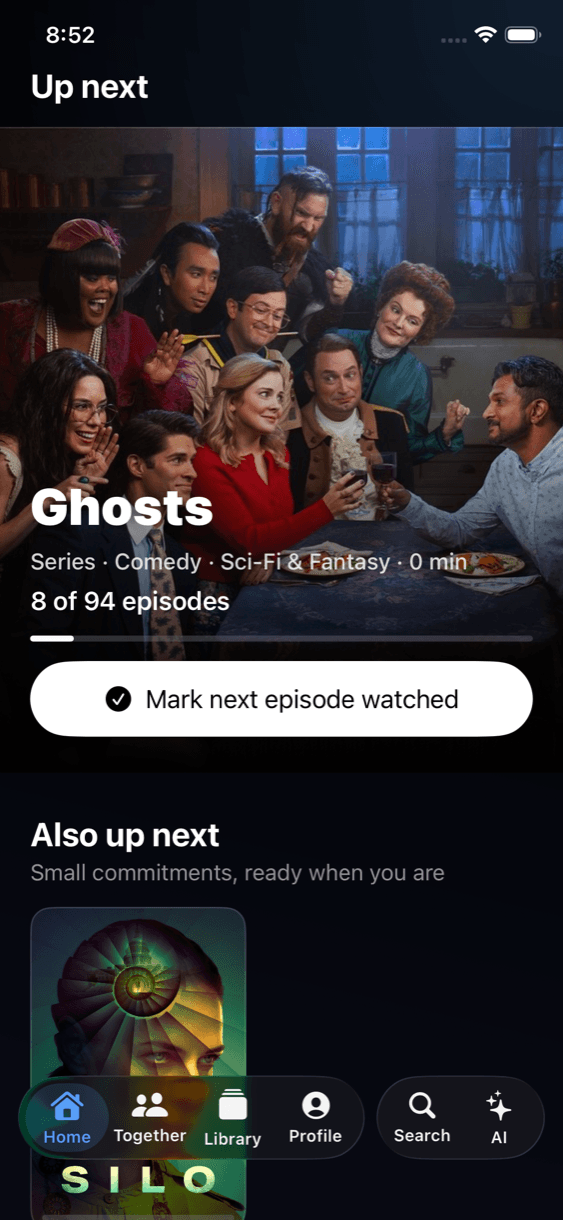
OpenTV Tracker Up Next screen showing Ghosts episode progress and artwork

A watch history that works for you.

OpenTV combines quick progress controls, private partner sharing, and recommendations that can explain why a title fits.

Solo or together
Keep a personal library or share selected titles and progress in one invitation-only CloudKit space.
Precise progress
Mark one episode, every earlier episode in a season, or the full season watched without repetitive taps.
Recommendations with reasons
On-device ranking learns from your history; optional user-controlled AI can rerank the same bounded candidates.
History you own
Import a TV Time export, then keep a portable versioned history you can export again as JSON or CSV.
Local first
Tracking works offline with no OpenTV account. Personal ratings, notes, and watch history stay on the iPhone.
Private partner sync
CloudKit shares only the titles and activity you choose for Together—not the rest of either personal library.

Inside OpenTV Tracker

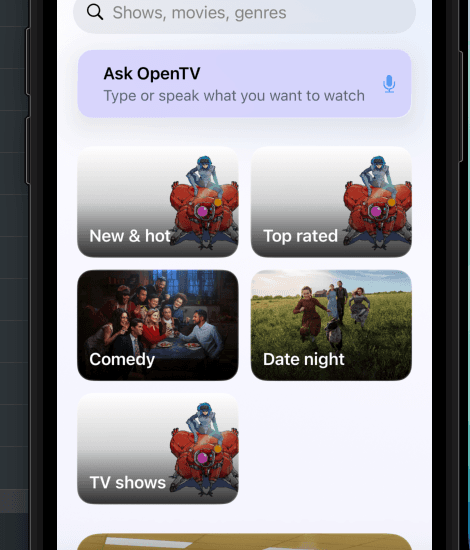
OpenTV Tracker artwork-led discovery categories and recommendation assistant
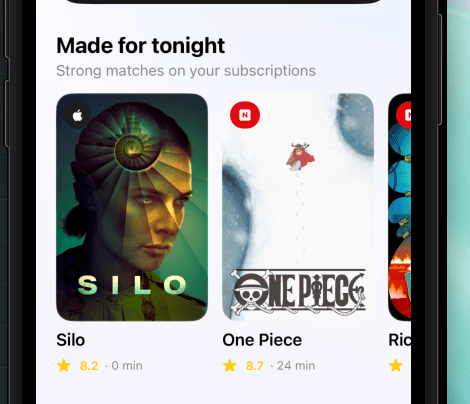
OpenTV Tracker recommendations based on selected streaming services

TestFlight before the App Store.

The app is in release setup now. The beta stays small until signing, production CloudKit, and real two-iPhone sharing have been verified end to end.

Requires iOS 26 or later for the full Liquid Glass experience.
No OpenTV account is required; your personal library stays on your iPhone.
Partner sharing uses an invitation-only CloudKit space.
Current availability
TestFlight setup in progress
A private iPhone beta comes first.
OpenTV Tracker is not on the App Store yet. The signed iOS build and two-device CloudKit verification are the final gates before TestFlight invitations open.